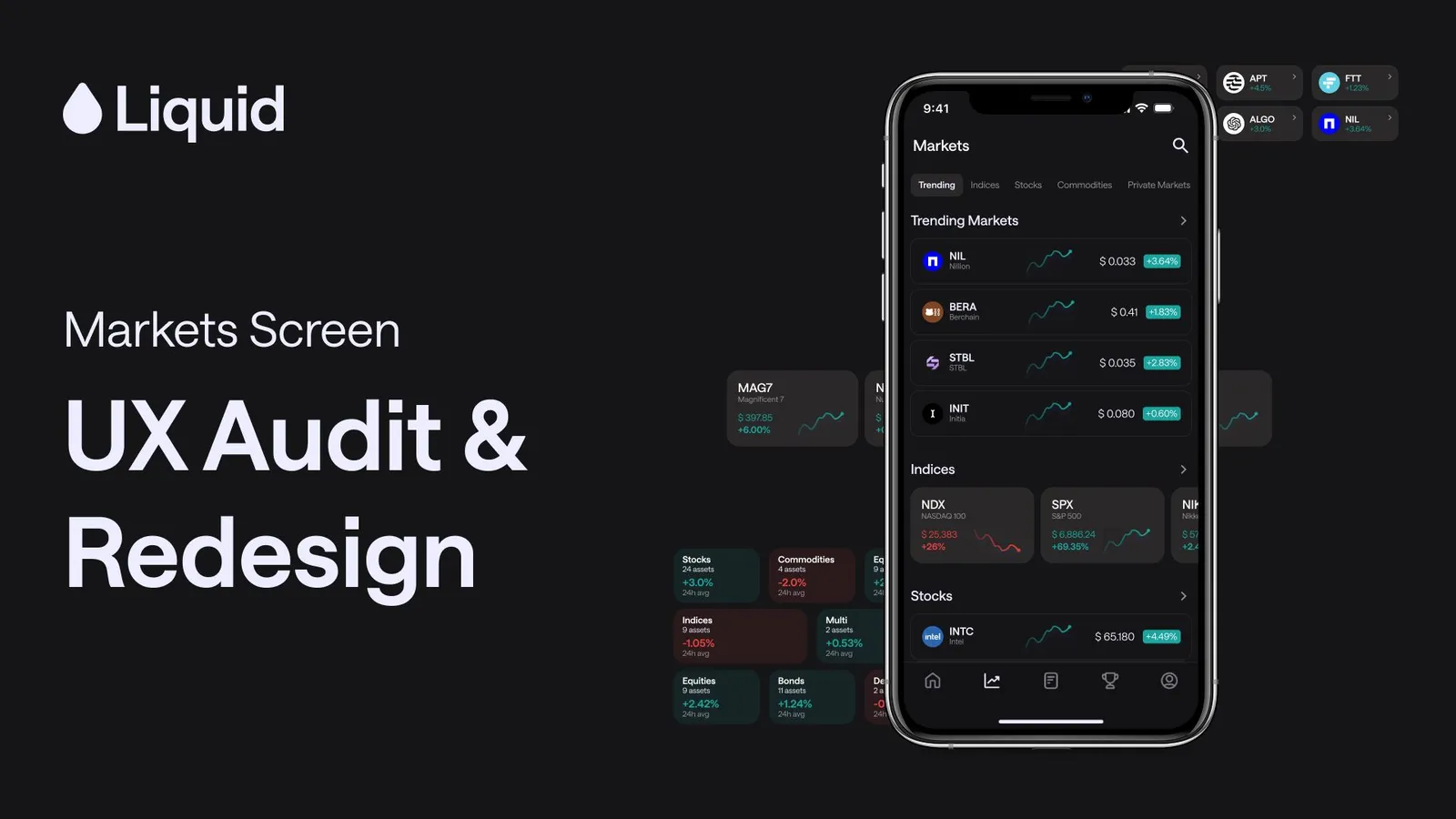
Markets Screen: UX Audit & Redesign
A crypto trading platform audit on the Markets screen, a core part of the product that active traders rely on daily. The scope: identify what's broken, explain why it matters, and propose a direction.
- When
- Apr 2026
- Type
- Tools
Fintech / Mobile / Product Design
The Problem
The Markets screen had a foundational issue that no amount of visual polish would fix:
It was designed to hold information, not help users act on it.
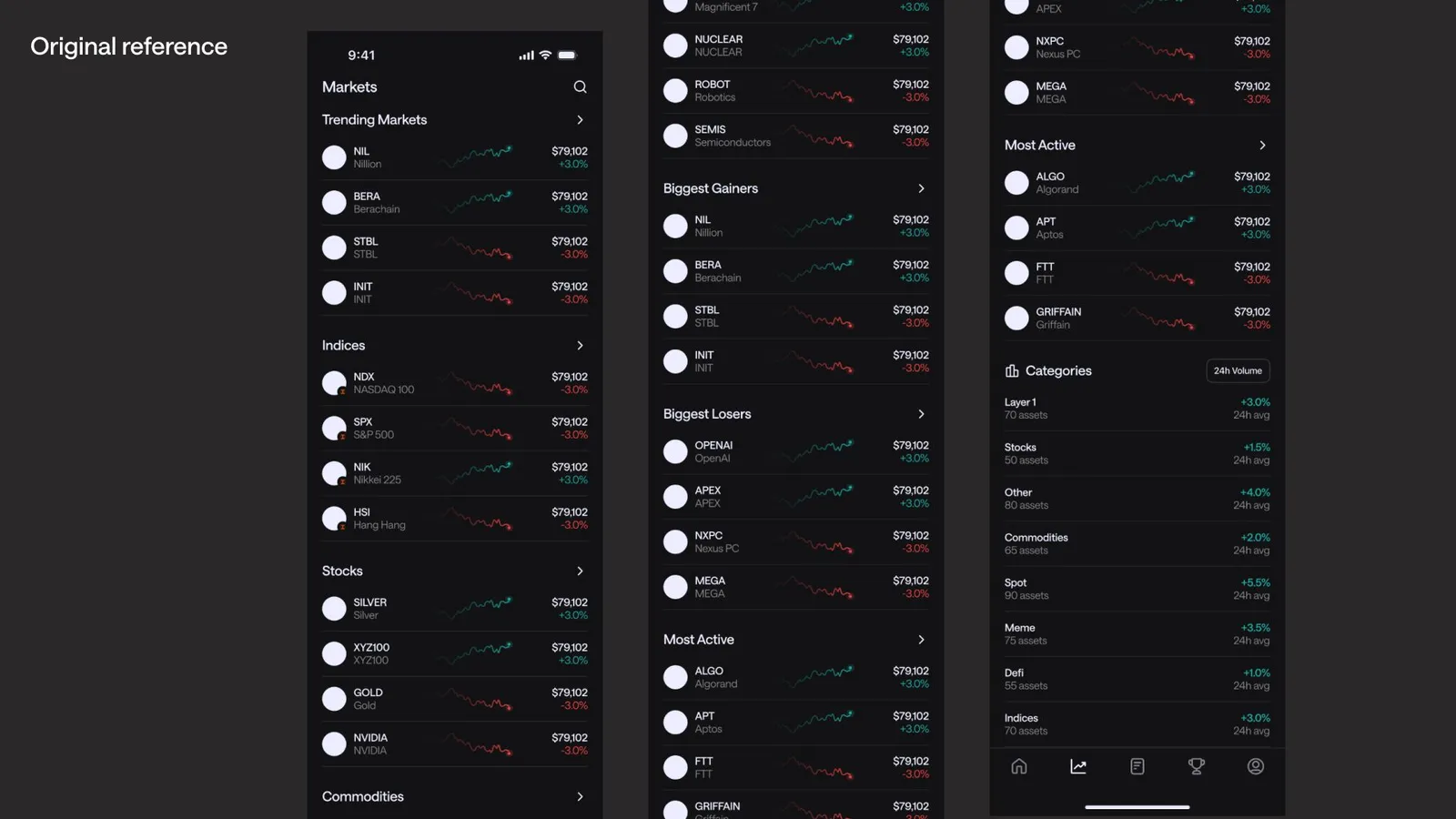
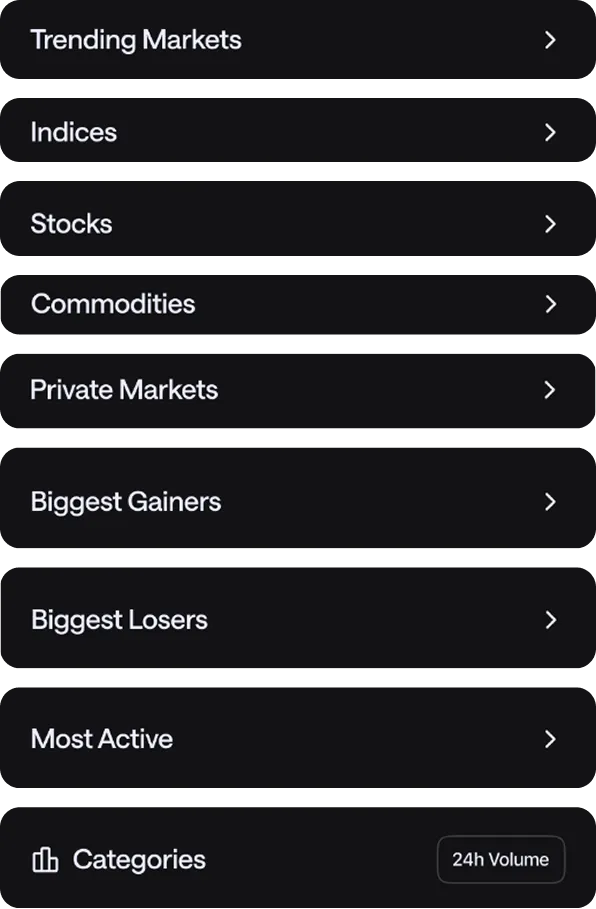
Every section — Trending, Indices, Stocks, Commodities, Private Markets, Biggest Gainers, Biggest Losers, Most Active, Categories — was stacked in a single unbroken scroll with identical row layouts throughout. There was no navigation layer, no visual rhythm, and no clear signal about what deserved attention. For a tool built around fast financial decision-making, that’s a serious mismatch between product intent and product reality.
My Role
Solo designer. Audit, analysis, and redesign proposal.
The brief was open-ended — no constraints on scope or direction. I started with the audit before touching anything visual.
Audit Findings
I identified 3 compounding issues:
1. Navigation — the screen had no intent layer
With no sub-navigation or quick-jump mechanism, every visit required scrolling the full page to find a specific section. Returning users — the ones who know exactly what they’re looking for — had no faster path. The product behaved like a feed when it needed to behave like a tool.
2. Layout — identical patterns created visual noise
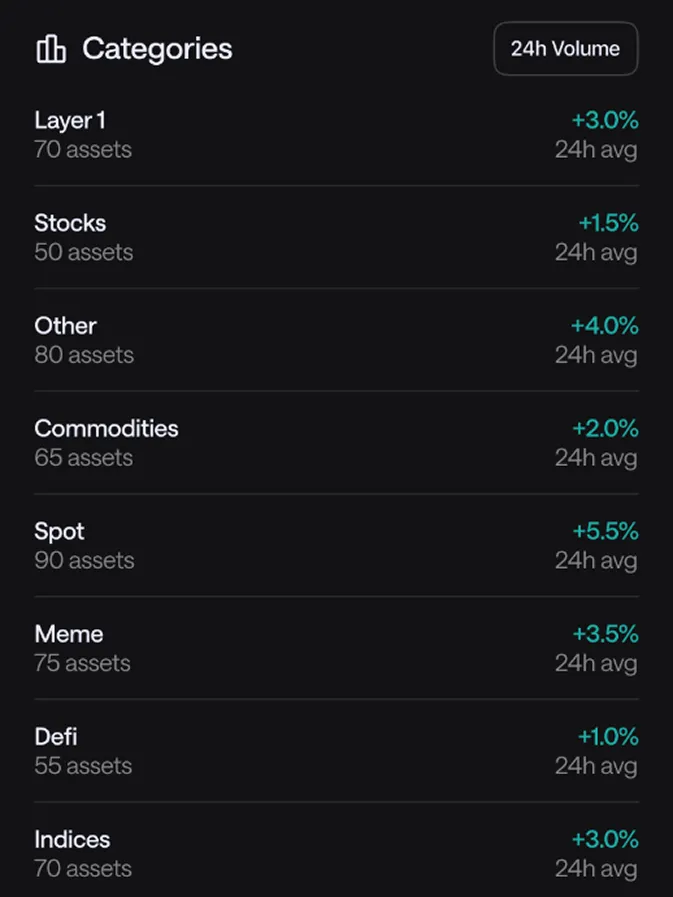
Every section used the same list row format regardless of information type. Trending assets, performance rankings, and category overviews all looked the same. Without visual variation, users can’t build spatial memory of the screen — everything blurs together, and cognitive load goes up.
3. Text hierarchy — data competed instead of communicating
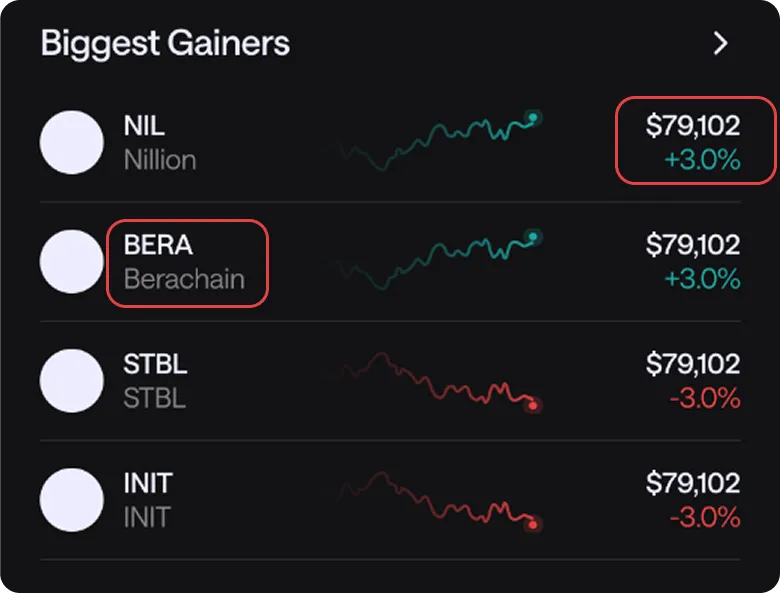
Asset name, price, and percentage change all sat at roughly the same visual weight. In a financial context, % change is the primary signal — it’s what traders scan for first. Burying it at equal weight to the asset ticker means users have to read each row instead of glancing down the list.
The Redesign
The goal wasn’t a cosmetic refresh. Every decision maps back to the audit.
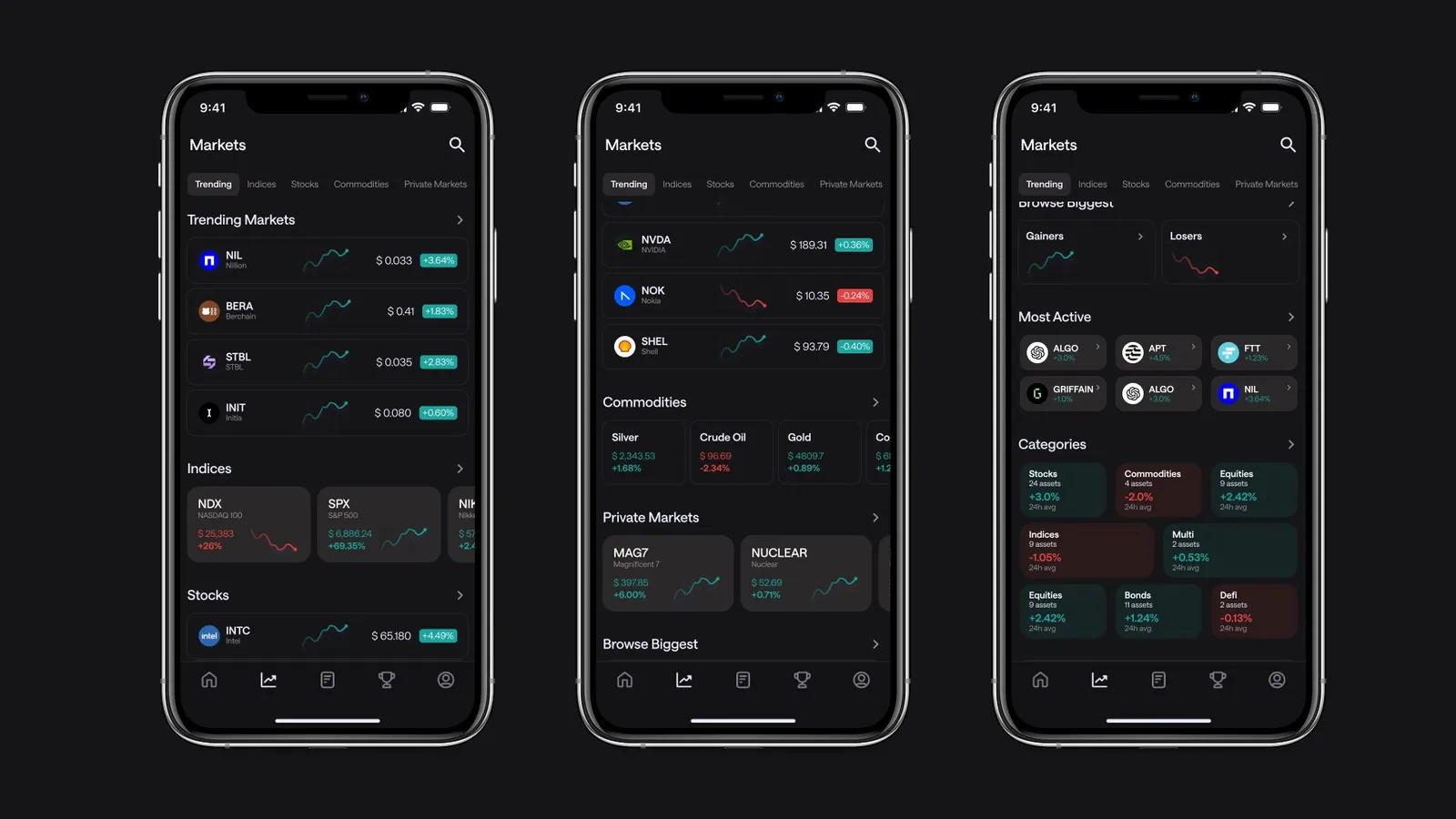
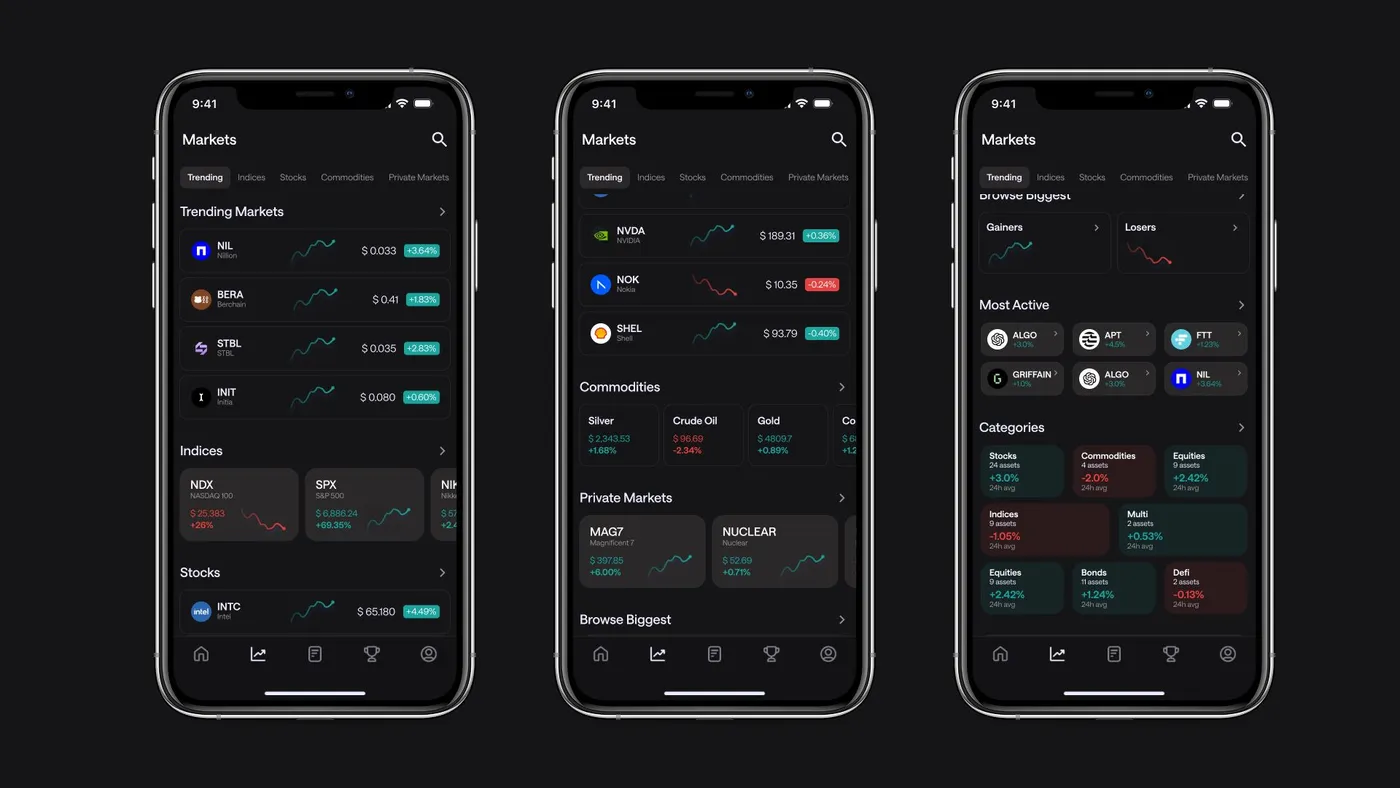
Sticky tab navigation resolves the intent problem directly. Users can jump to Trending, Indices, Stocks, Commodities, or Private Markets without scrolling. The page now has an entry point for both browsers and purposeful navigators.
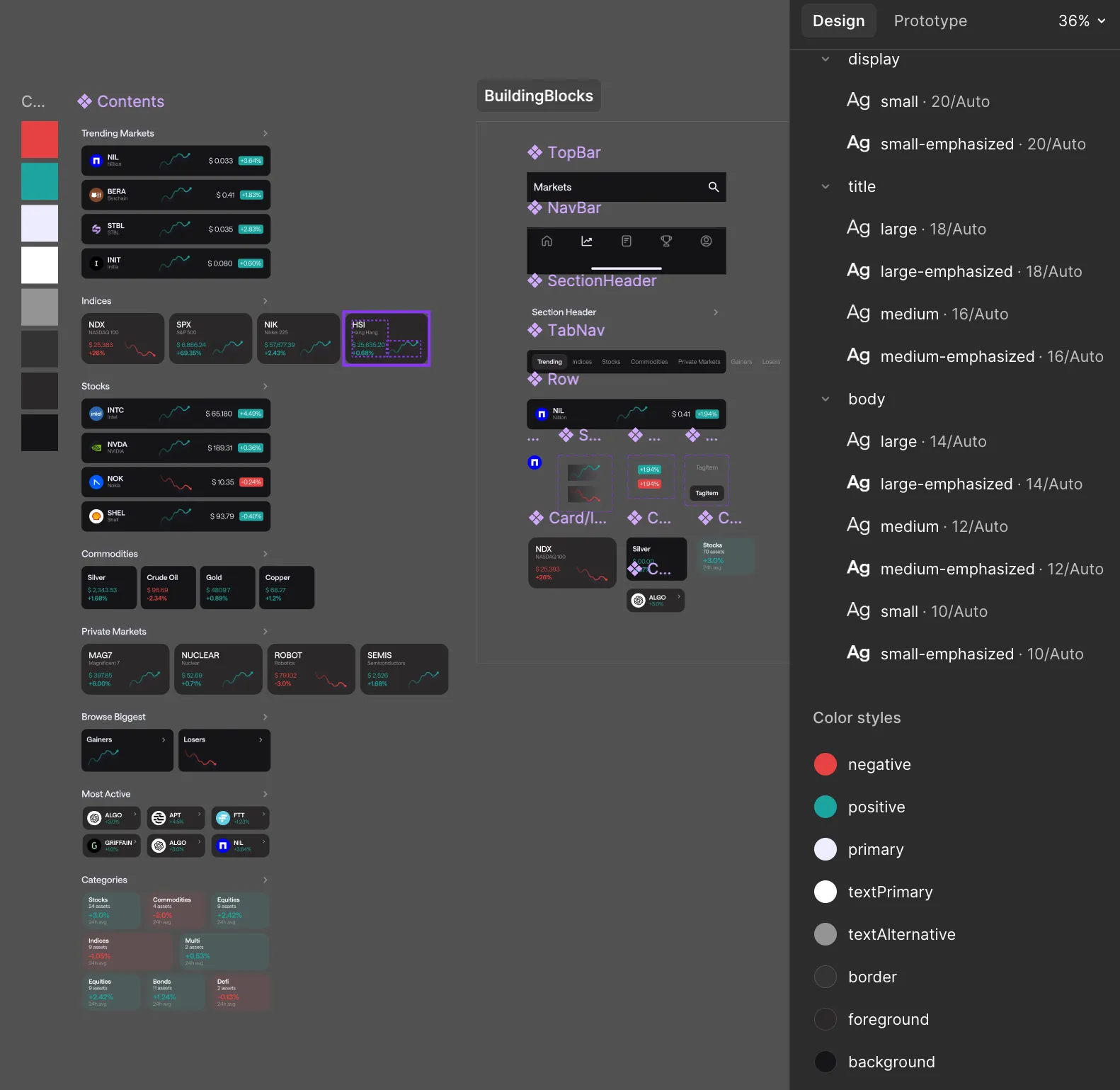
Layout variation by section type breaks the visual monotony and gives each section a distinct feel. List rows for individual assets. Horizontal scroll cards for comparative sections like Indices and Commodities. A grid layout for Categories. Different data types deserve different containers — and the variation itself becomes a navigational cue.
Hierarchy reset on asset rows makes % change the visual anchor. Right-aligned, colour-coded green and red, and given clear size contrast over the asset name and price. Sparklines stay as supporting context but step back from competing for attention.
Reflection
There’s more to explore here. Collapsible sections would give power users a way to hide what they don’t need. The ”>” chevrons on section headers currently read as “see all” — there’s an argument for making them true in-page anchors for faster keyboard or swipe navigation. And the sparkline treatment could go further: render on interaction only, rather than always-on.
The core shift holds: from a wall you scroll through, to a tool you navigate.