Ground Truth: AI-Assisted Interactive Maps built from Geospatial data
Documents the HTML embed system I designed and built for the NetZeroAg website: a set of custom, self-contained interactive visualisations that live inside Webflow's custom embed element.
- When
- May 2026 · in progress
- Type
- Tools
- Link
- www.netzero-ag.com ↗
🌍
Ground Truth is how you verify what a model says by checking it against reality, in the field, literally.
This is the same idea applied to data: carbon credit numbers, soil metrics, and agricultural impact made tangible through interactive web embeds. Built in Webflow. Animated with intent. No dashboards, no iframes from SaaS tools…everything purpose-built.
Overview
Each embed is a standalone component: styled to the site’s design system, animated on scroll, and optimised to feel like a native part of the page rather than a third-party widget bolted on. The goal was to make dense agricultural and carbon data immediately readable — and worth stopping for.
Design system: NetZeroAg warm palette, Montserrat, scroll-triggered animation via IntersectionObserver
Workflow Process with Claude
The build process was a tight feedback loop between design intent and working code — no handoff, no translation layer.
I’d define the data story and visual direction, then co-build the embed with Claude in real time: scoping the component, iterating on layout and animation, and stress-testing edge cases before dropping it into Webflow. Claude handled the implementation detail; I drove the outcome.
What this unlocked:
-
Speed without compromise — going from concept reference images & ideations, animated embed in a single session
-
Design-to-code fidelity — the gap between what I envisioned and what shipped was close to zero
-
Consistent system thinking — each embed shares the same palette, type scale, animation timing, and layout logic, making the suite feel cohesive even as the data varies
-
Iteration without friction — changing a layout, swapping a chart type, or adjusting animation easing took minutes, not days
The workflow proved that for data-heavy, custom UI components, AI-assisted development isn’t a shortcut — it’s a different way of working entirely.
Ideation & Visualisation
Before any code was written, each embed went through a brief concept phase: defining what the data needed to communicate, what interaction would make it land and how it fits the surrounding page context.
The design questions for each component:
-
What’s the single stat or insight a user should walk away with?
-
What visual form makes that undeniable? (bar chart, map, counter, comparison)
-
What does the animation reveal? (not decoration — each motion has a reason)
-
How does it breathe next to the Webflow sections around it?
This thinking happened in plain language, in conversation — no separate wireframe tool, no standalone spec doc. The ideation was the brief, and the embed was the output.
The Embeds
This section will grow as components are completed. Embeds can be presented as screen recordings or screenshot images.
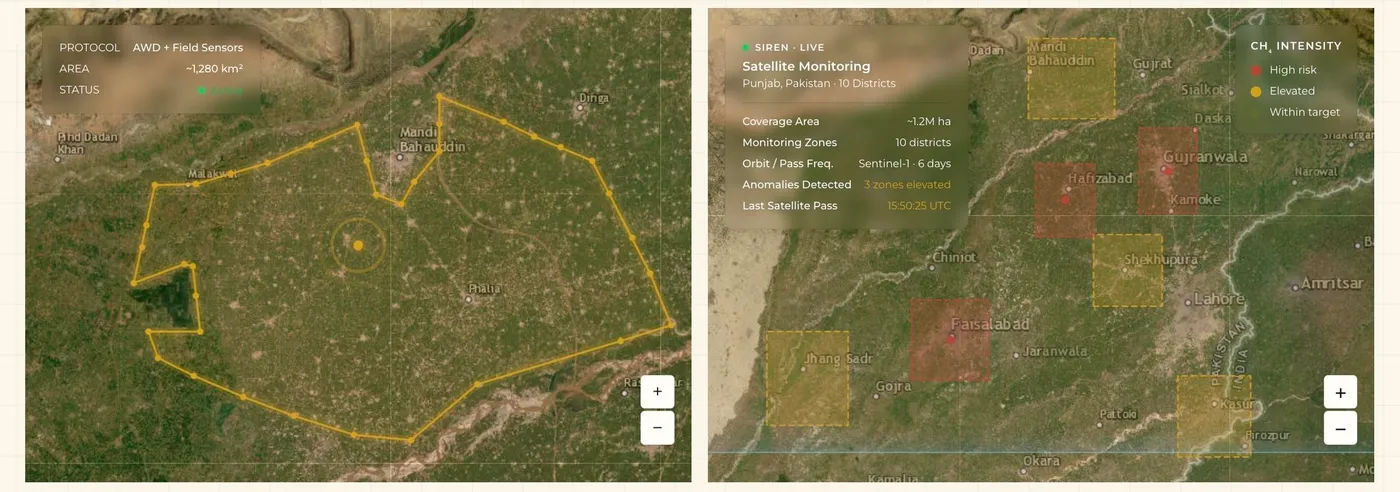
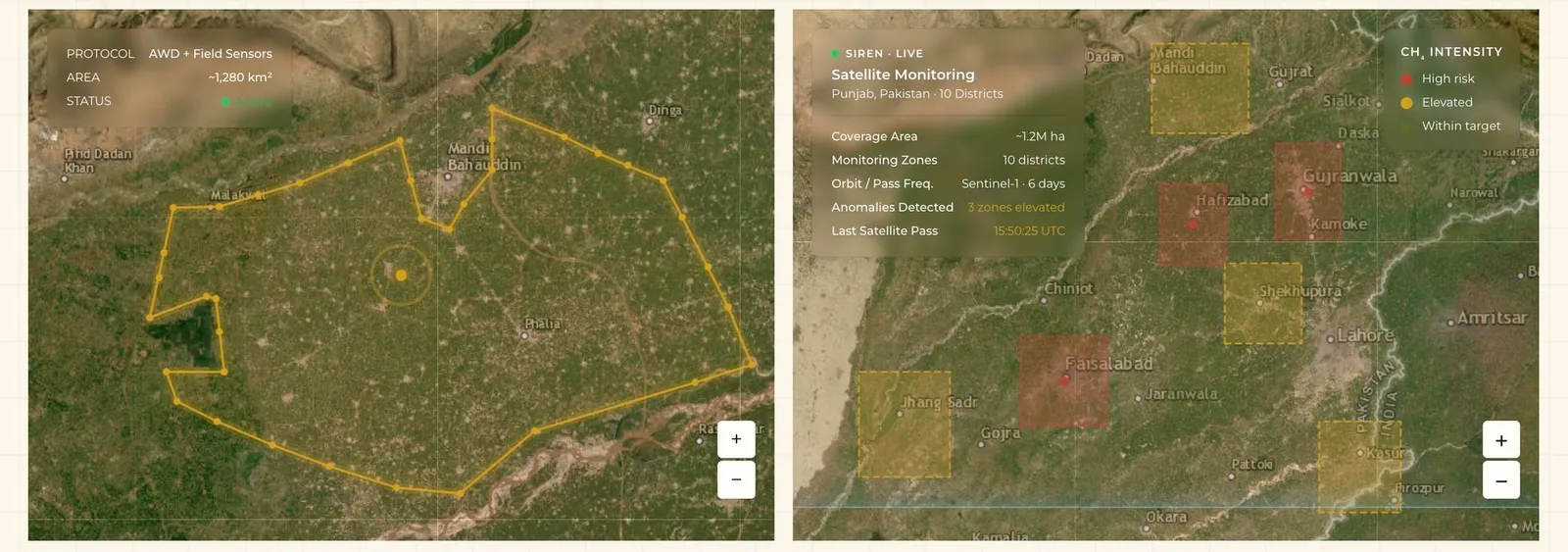
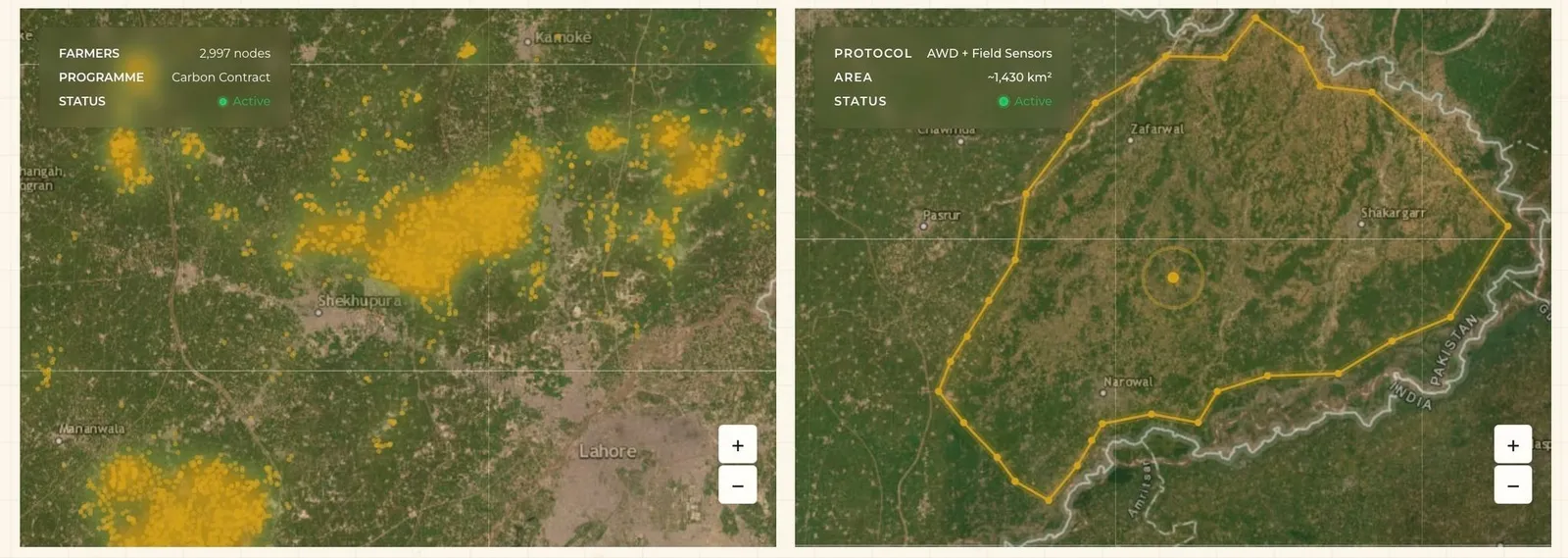
Maps
Geographic visualisations showing agricultural land, carbon project boundaries, and regional distribution — placing the data in physical space.
Maps are interactive by design: hover states, region labels, and layered data make them explorable rather than static. They anchor the more abstract carbon metrics to real geography.