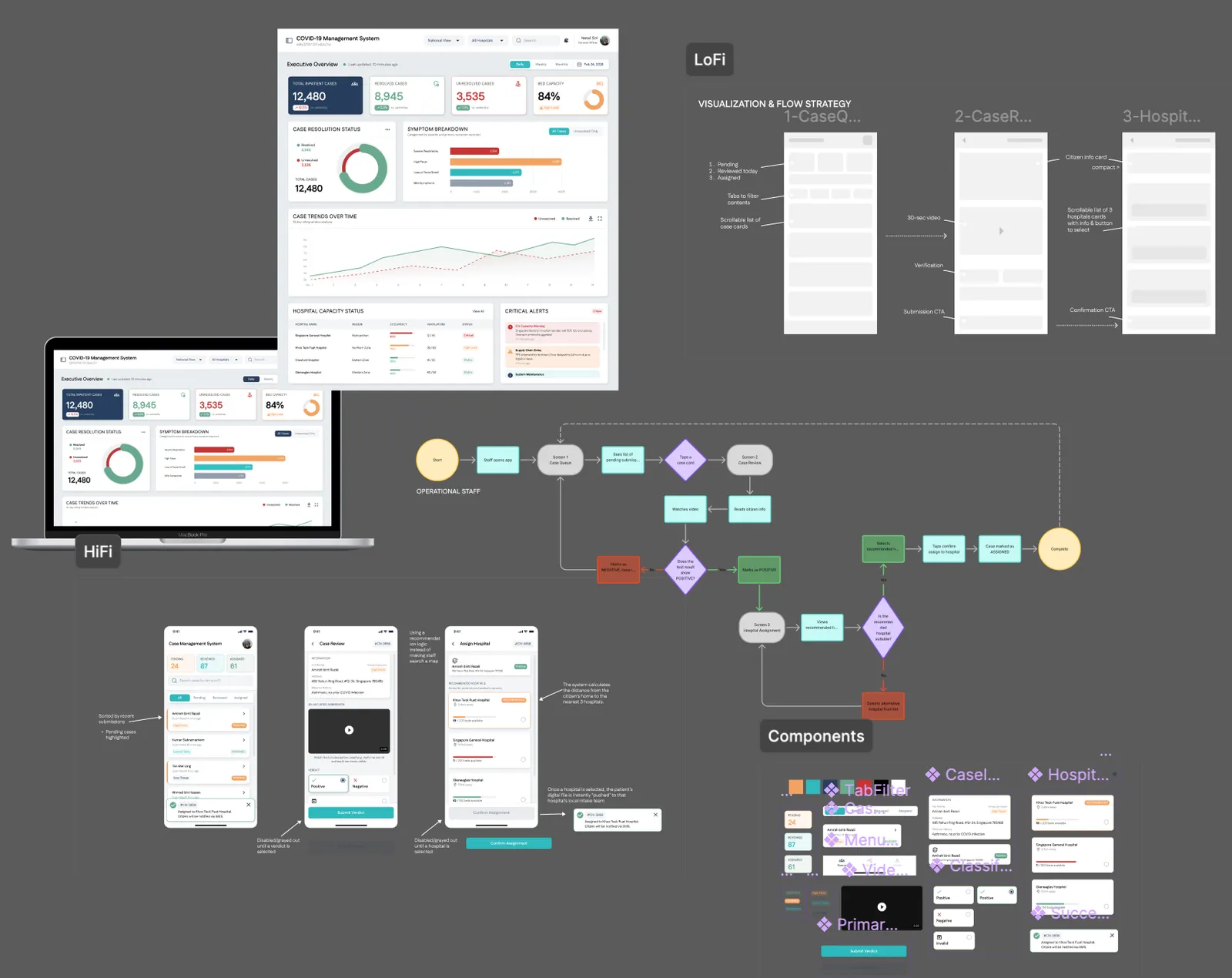
Scalable Monitoring Interface for Operational Safety
Design assignment: a two-part crisis management platform for a simulated COVID-19 surge scenario. A real-time monitoring dashboard for senior decision-makers and a mobile case management tool for frontline staff.
- When
- Mar 2026
- Type
- Tools
- Link
- www.figma.com ↗
Overview
This project was a design assignment exploring how a digital interface could support users in monitoring and responding to operational risks.
“It’s 2020. COVID-19 inpatient admissions are surging. Local hospitals are overwhelmed and the Ministry of Health (MoH) has set up a lean operational task force to manage the crisis. There is no unified system — data is fragmented, case processing is manual, and decision-makers are flying blind.”
The brief: design a unified platform with two key components to support both senior decision-makers and frontline operational staff.
2 — The Problem
Three compounding failures were making the crisis harder to manage:
-
Hospitals overwhelmed — No unified view of capacity across facilities. Resources couldn’t be allocated efficiently without real-time data.
-
Manual case processing — Citizen COVID requests arrived unstructured. Staff had to verify, validate, and assign patients without any dedicated tooling.
-
No trend visibility — Decision-makers lacked aggregated data on symptom trends, resolution rates, and hospital load over time.
3 — Two Users, Two Different Problems
| Dashboard | Case Management | |
|---|---|---|
| Who | MOH senior staff | Operational task force |
| Context | Crisis meetings, big screens | Processing 30+ cases/hour on mobile |
| Biggest risk | Acting on stale data | False positives wasting hospital beds |
04 — Design Principles
These drove every decision — not aesthetics.
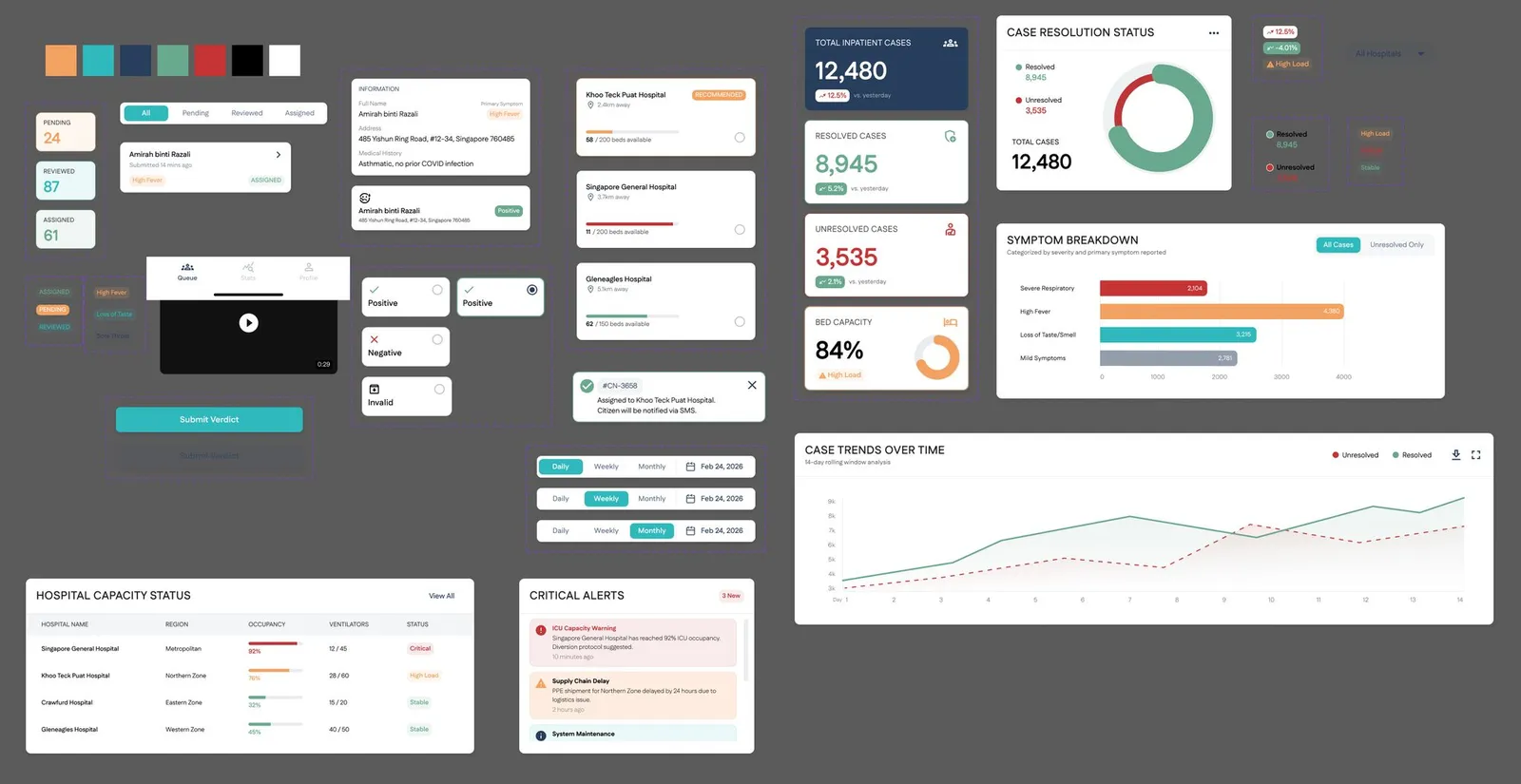
Clarity under pressure — scannable hierarchy, colour that carries meaning, zero noise.
Speed without sacrifice — shortest path to the right action. Friction only where mistakes are costly.
Data, not decoration — charts chosen for comprehension, not visual interest.
Accessible by default — high contrast, large targets. Crisis tools get used in bad conditions.
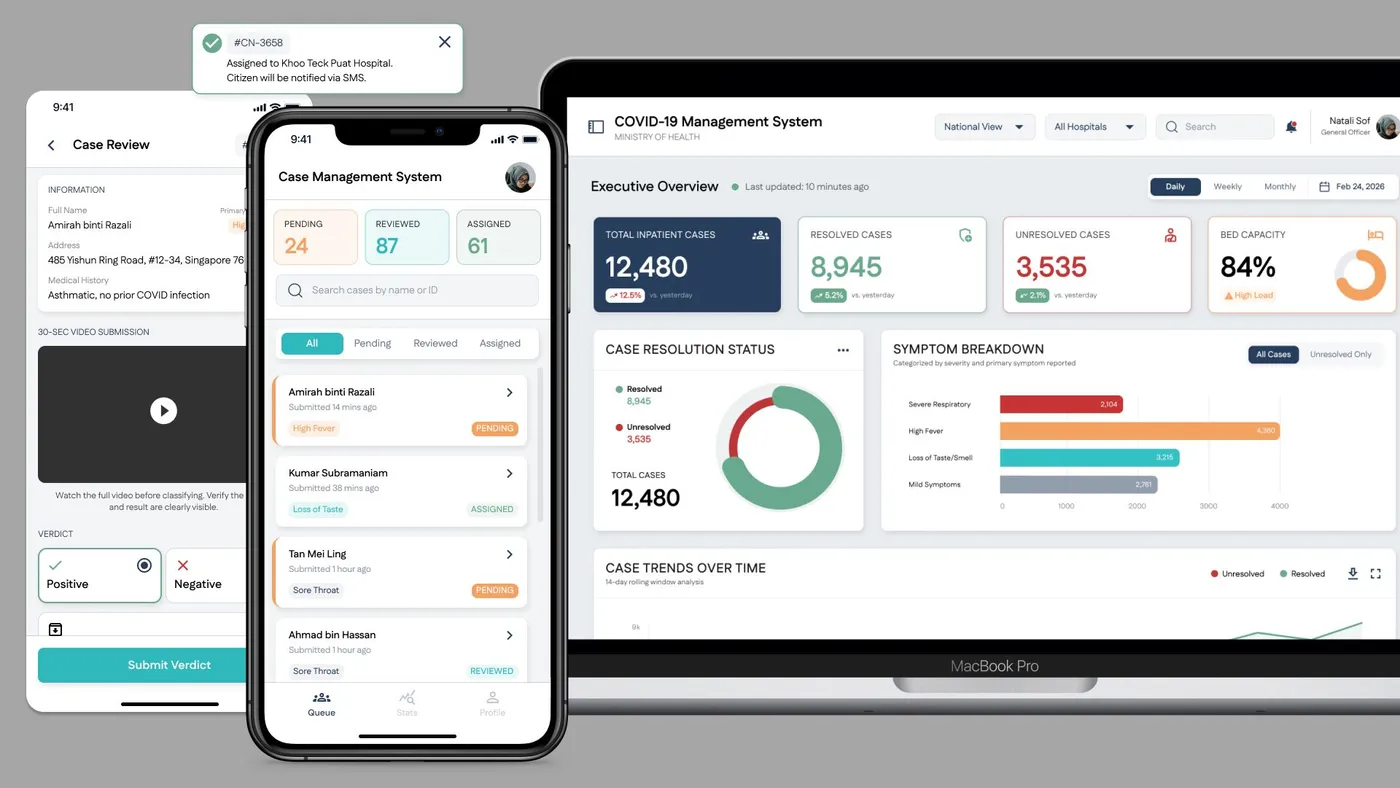
Part 1 — Real-Time Monitoring Dashboard
Web · For senior MOH staff
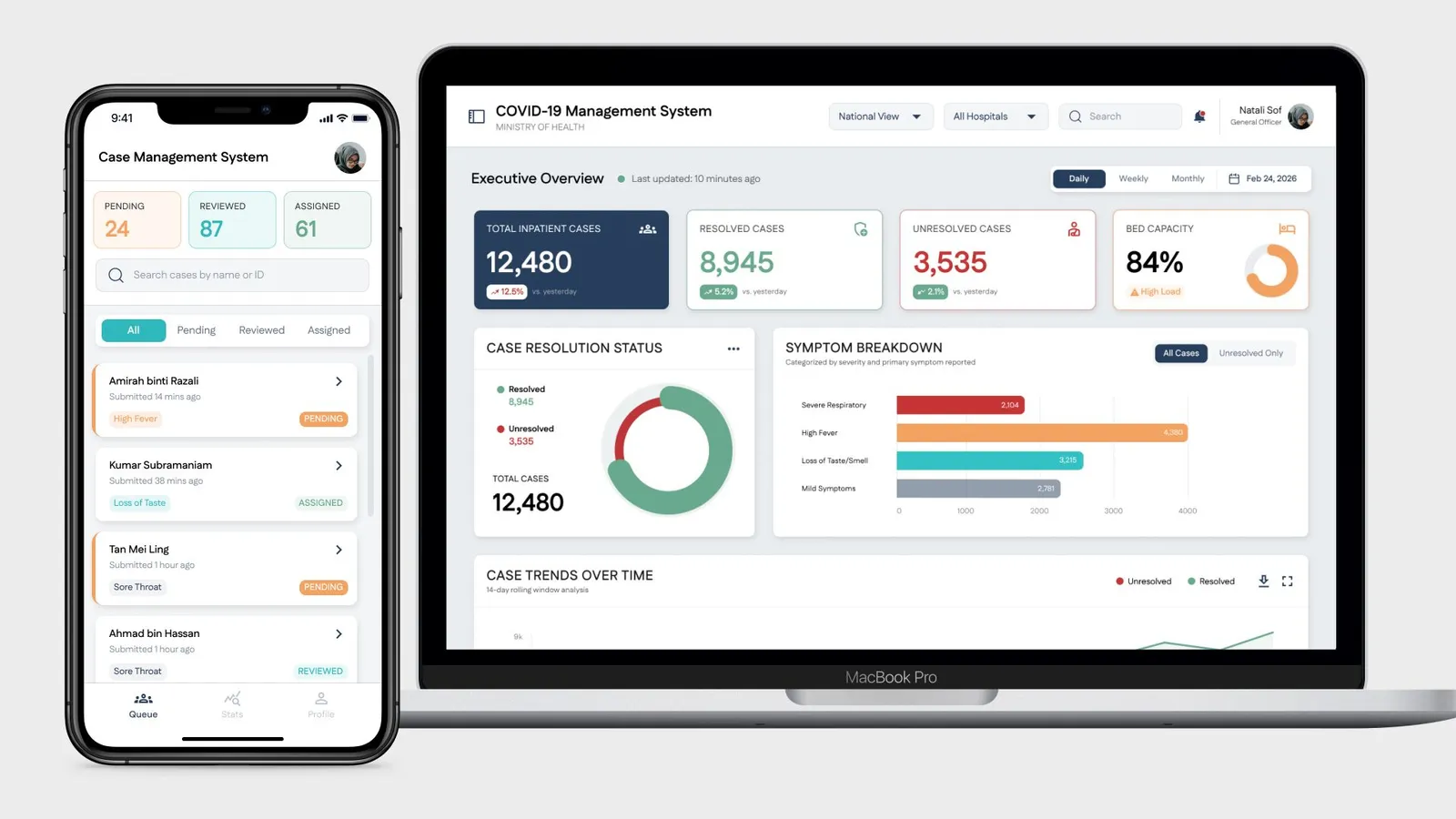
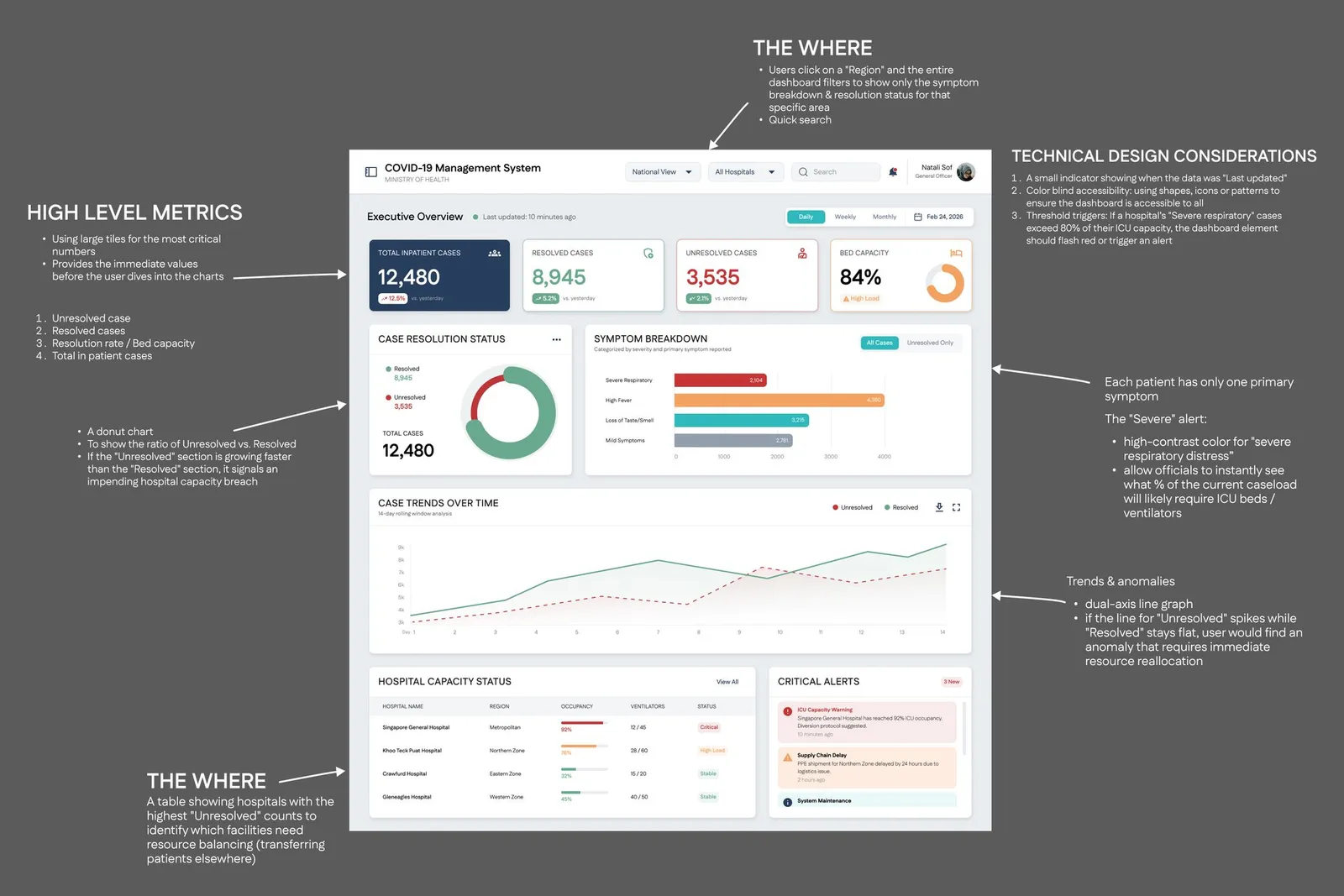
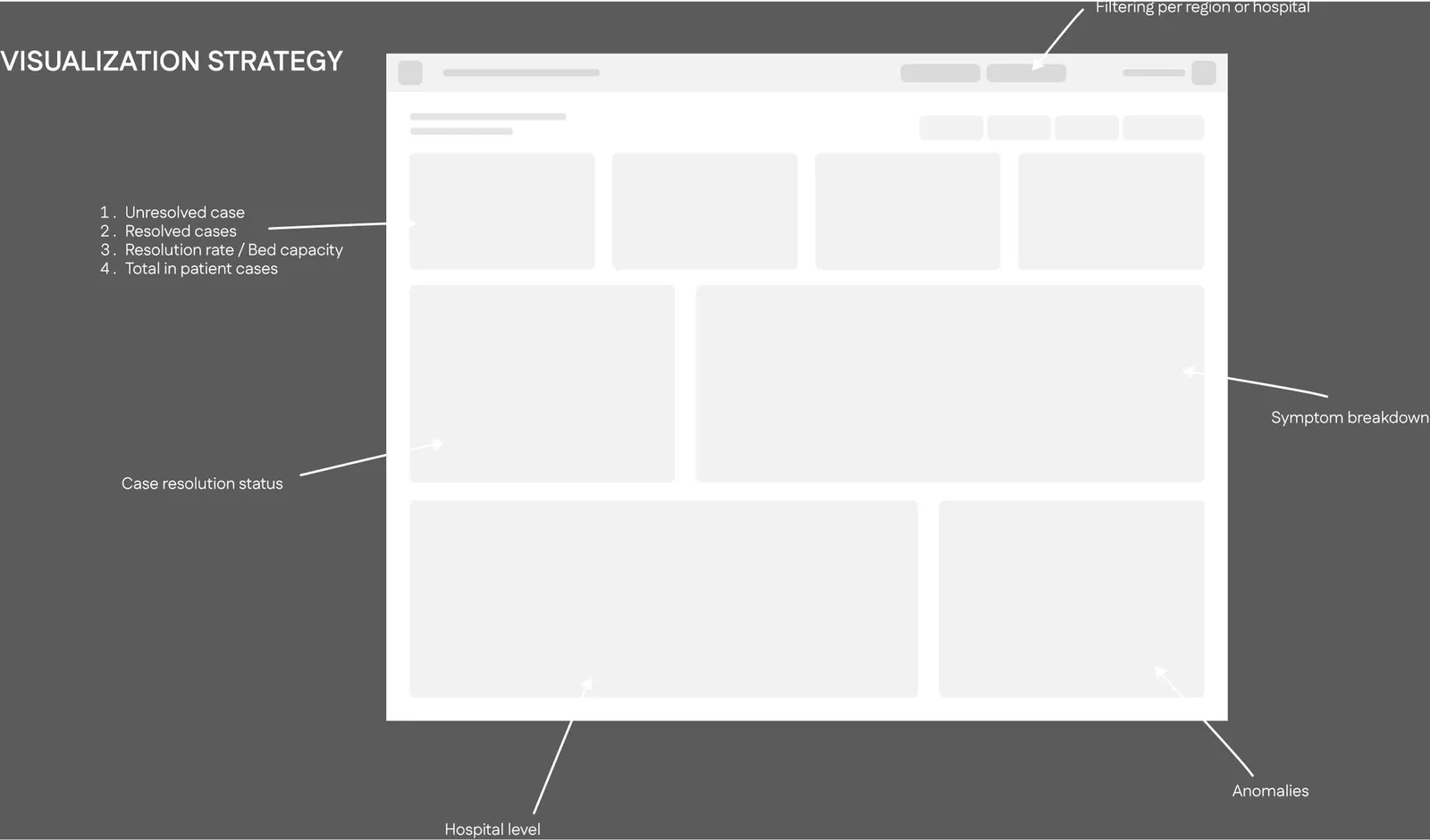
The design intent was simple: every element answers How many? How are they trending? Where?
Key decisions:
-
Large metric cards readable across a conference room without leaning in
-
Donut chart for case resolution — the growing “Unresolved” arc is a visual alarm, no reading required
-
Severity threshold alert — when a hospital’s severe cases exceed 80% ICU capacity, the element turns red automatically
-
Dual-line area chart shows both Unresolved and Resolved simultaneously — anomalies (spikes, lines crossing) are instant
-
Hospital capacity table identifies which facilities need reallocation at a glance
Part 2 — Case Management Platform
Mobile · For operational task force staff
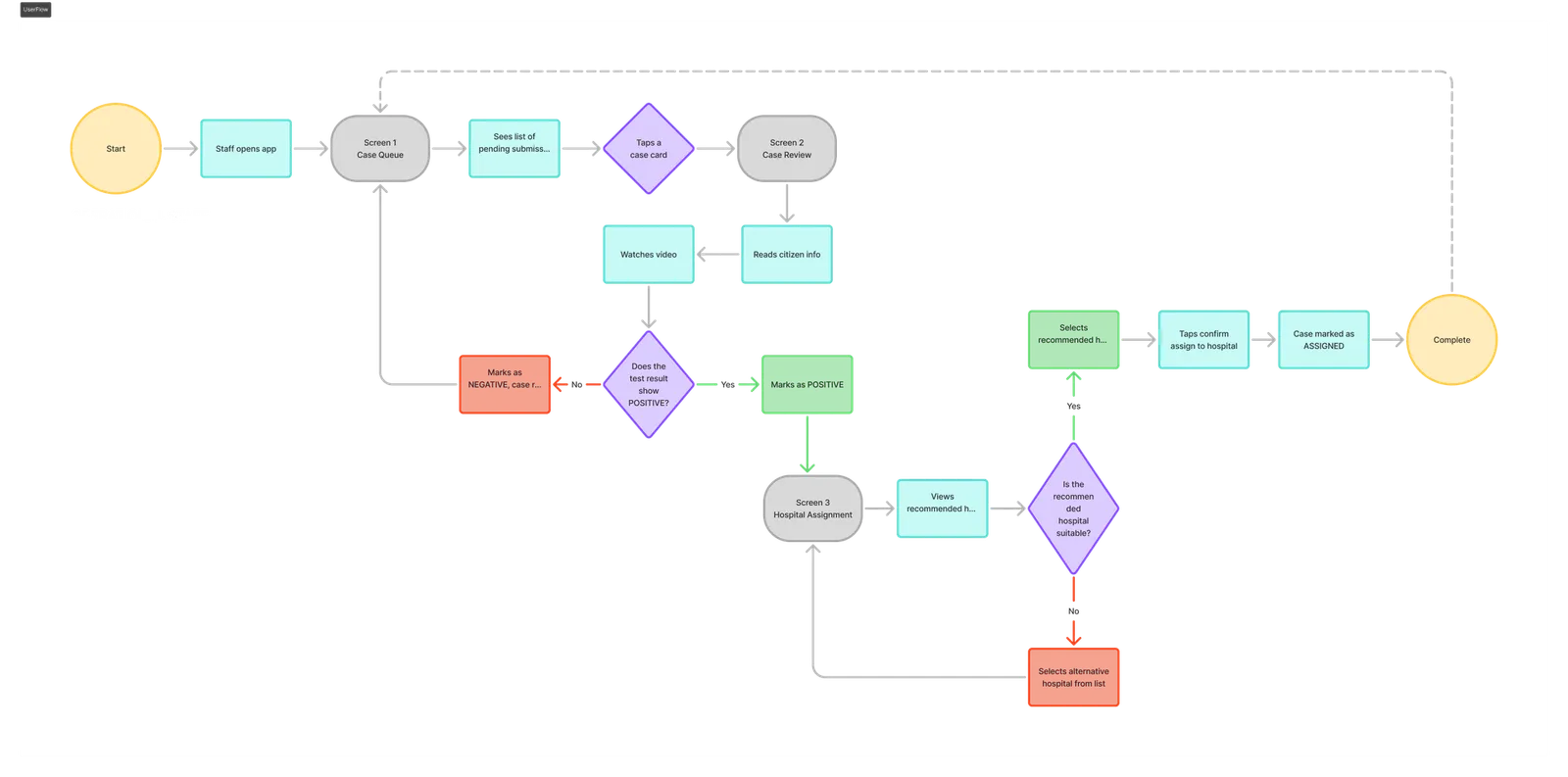
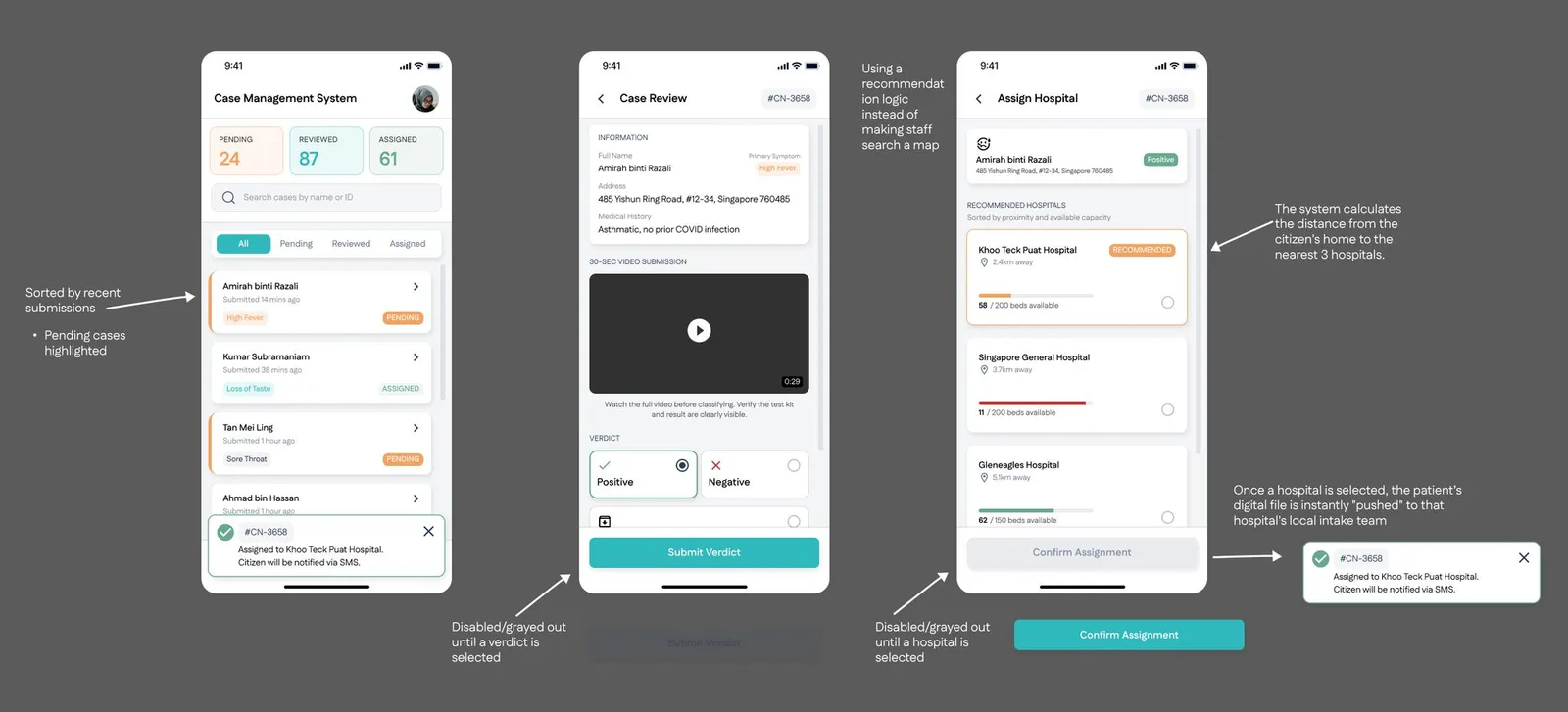
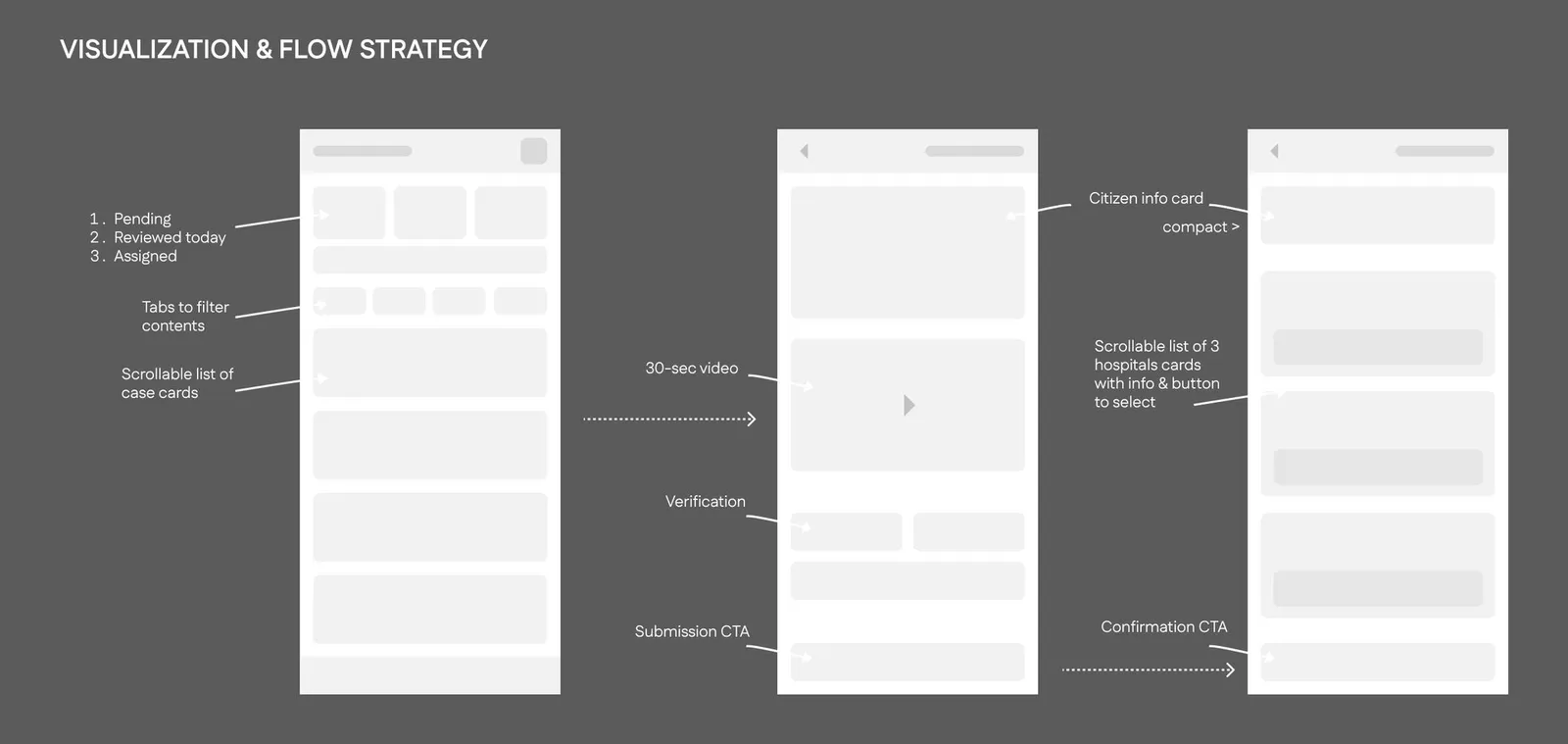
Three screens. One job each.
Case Queue — What needs my attention right now?
Pending cases surface first. Tabs filter by status. No hunting.
Case Review — Is this legit?
Video player centred and anchored. Classification (Positive / Negative / Invalid) must be selected before Submit is enabled — prevents blank submissions under pressure.
Hospital Assignment — Where do I send them?
System recommends the nearest 3 hospitals with available capacity. Staff confirm. Done. No capacity knowledge required.
Reflection
Given more time, I’d push two things: usability testing under actual surge conditions (volume + time pressure), and semi-automating the hospital assignment so staff only confirm rather than choose. That last step could meaningfully reduce decision fatigue at hour three of a surge shift.
The screens and prototype live in the Figma file — this write-up is just the thinking behind them.